Pagewren · Baby memory book for iPhone
Your baby's story,
one page at a time.
One photo, a few words, and today's little moment becomes a page in your baby's book. Start with the photos you already have and add to it whenever life gives you a moment.
- Free to download
- iPhone
- iOS 17 or later
- No account needed

On a computer? Scan this with your iPhone camera to download the app.
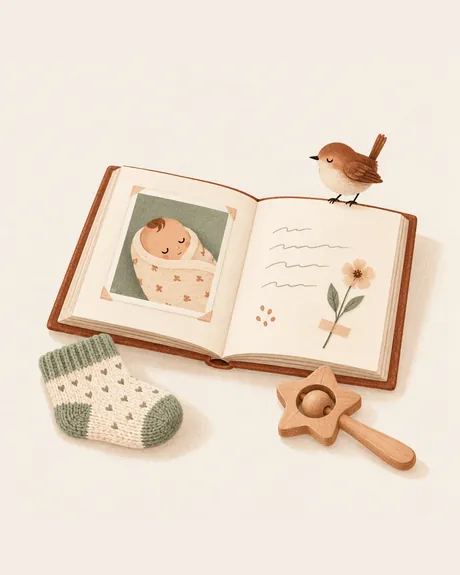
The little things are the story.
A funny afternoon, a first smile, or a sentence you want to remember. Each can become a page.
Mia's Story
3 months
An ordinary afternoon
You laughed so hard at the dog sneezing that you got the hiccups.
Start with a moment you already have.
Make a book
Give your baby's book a name. You can keep a separate book for each child.
Add a photo or a few words
Pick a photo, write a memory, or import a batch of earlier photos to catch up.
Come back to the story
Browse by age, mark your own milestones, and export a Classic PDF to share or print.
What it does

A book, not a feed
Your child's story opens like a real book, with chapters by age: Newborn, 1 Month, 2 Months and beyond. Switch to the timeline to scroll back through every month, and keep more than one book for a new sibling or a trip.
Thirty seconds today
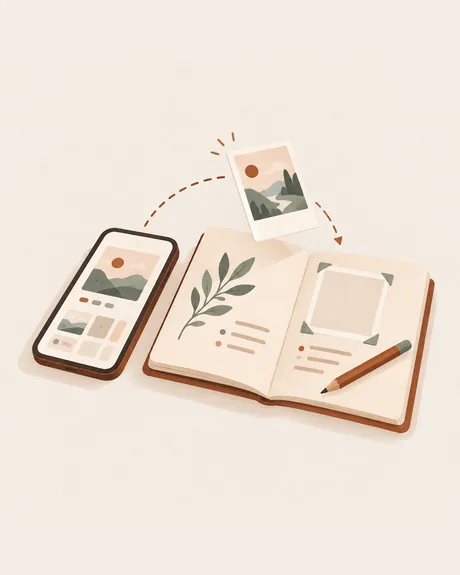
Add one photo, several, or just a few words, and Pagewren lays out the page for you. No design skills, no daily streaks. Catch up fast by importing a batch of past photos at once.

Every first, marked
Mark milestones like First Smile and First Steps, or add your own, so the big moments are easy to find again later.
On this day, on your Home Screen
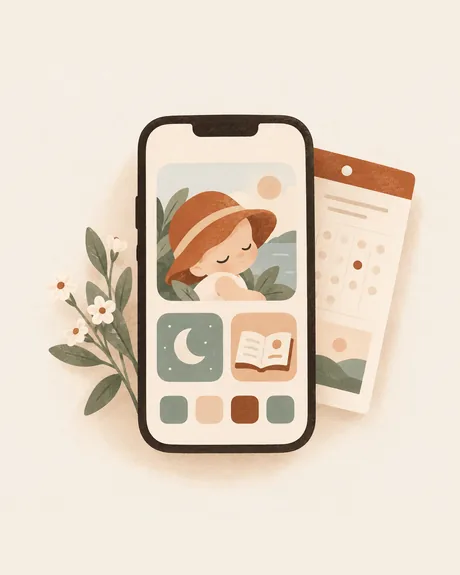
Widgets show your book and bring back a page from this day in an earlier year. A Lock Screen widget opens a new page in one tap.
Private, and yours
No ads, no social feed, no public profiles. Photos and words stay on your iPhone, and in your own iCloud if you turn on iCloud Sync with Pro. Privacy Lock (Pro) can lock the app, a book or a single memory.
A complete book, even for free.
Free
- Unlimited photo and text memories
- Age chapters, milestones and widgets
- Classic theme and three page backgrounds
- Classic PDF export and page-image sharing
Pagewren Pro
- Linen and Scrapbook themes
- Every page background, or your own photo behind a page
- PDF export in every theme
- iCloud Sync across your own devices and Privacy Lock
Keep writing for free. Pro is optional, with monthly, yearly and Lifetime options. The app shows your local price before you pay.
Share a page as an image or a book as a PDF. iCloud Sync uses your own Apple account; family sharing of Pro does not mean a shared editing account.
The details, as written in the App Store
Pagewren turns your baby's everyday moments into a beautiful memory book, one page at a time.
Add a photo or a single sentence, and Pagewren lays out the page for you. No design skills, no daily streaks. Thirty seconds today becomes a keepsake for years.
Your book is the home screen
- Flip through your child's story like a real book
- Chapters by age: Newborn, 1 Month, 2 Months and beyond
- Switch to the timeline to scroll back through every month
- Keep more than one book: a new sibling, a trip, a new chapter
Capture in seconds
- One photo, several photos, or just a few words
- Bold, highlights, lists and checklists, and where it happened
- Catch up fast: import a batch of past photos at once
- Mark milestones like First Smile and First Steps, or add your own
Make it beautiful
- The Classic theme and three page backgrounds are free for everyone
- Pagewren Pro unlocks the Linen and Scrapbook themes (full-bleed photo pages, taped-in polaroids), every page background (or your own photo behind a page) and new Pro themes every season
On your home screen
- Widgets show your book and bring back a page from this day in an earlier year
- A Lock Screen widget opens a new page in one tap
Keep it safe and share it
- iCloud Sync with Pagewren Pro keeps your books on all your devices
- Archive pages you'd rather keep out of the book, and restore anything from Recently Deleted for 30 days
- Export your book as a PDF and share any page as an image with family
- Back up and restore your photos and words anytime
Private by design
- Privacy Lock (Pro): lock Pagewren, a whole book or a single memory with a pattern or 4-digit code, and open it with Face ID
- Your photos and words stay on your iPhone, and in your own iCloud if you turn on sync
- No ads, no social feed, no public profiles
Pagewren Pro
Pricing and subscription terms
Choose a one-time Lifetime purchase, or a yearly or monthly subscription. The yearly plan includes a free trial for eligible new subscribers. Payment is charged to your Apple ID. Subscriptions renew automatically unless canceled at least 24 hours before the end of the current period. Manage or cancel anytime in your Apple ID settings. Your memories are always yours, with or without Pro.
What's new in version 1.1
- Voice notes: record a few words on any page, with a transcript you can fold away.
- Month photos: one photo for every month, right on its chapter page.
- On this day: see what happened a year ago today.
- Read full screen, search your book's words and jump to any page.
- A link on its own line becomes a card.
- Edit your widgets: long-press to choose the book and the page.
- A wooden crate for your shelf of books.
- A fresh look for Pagewren Pro, and a reminder two days before a free trial ends.
Questions people ask
Is Pagewren free?
Yes. Pagewren is free to download, and the Classic theme and three page backgrounds are free for everyone. Pagewren Pro — monthly, yearly or a one-time Lifetime purchase — adds the Linen and Scrapbook themes, every page background, iCloud Sync and Privacy Lock. The price is shown in the app before you pay.
Do I need an account, and where are my photos kept?
No account or sign-up. Your photos and words stay on your iPhone, and in your own private iCloud if you turn on iCloud Sync with Pro. Pagewren has no ads, no social feed and no public profiles.
How does Pagewren organize my baby's memories?
As a book with chapters by age: Newborn, 1 Month, 2 Months and beyond. You flip through it like a real book, switch to the timeline to scroll back through every month, and mark milestones like First Smile and First Steps.
Can I add photos from before I started?
Yes. Import a batch of past photos at once to catch up, then add a few words to any page whenever you like.
Can I share the book with family?
Export the whole book as a PDF, or share any page as an image with family through the iOS share sheet.